Volume Boosting
1.0 Introduction
There are lots of scenarios where you will find the audio signal on a CD or SACD lower than you might desire it to be. The commonest one is SACD rips: they used to be mastered at around 6dB lower than an equivalent standard CD would be, for technical reasons related to the capabilities of the equipment used to produce the recording. Having ripped an SACD, you could choose to live with that 6dB drop in volume and compensate by turning the volume knob on your amplifier up. You could also, however, boost the intrinsic volume level of the ripped audio signal by +6dB, so that the amplifier volume knob need not be twiddled.
Even standard CDs can offer volume-level issues, however: you'll often find a single CD contains a variety of different compositions and the recording engineers have produced all of them to work as a 'set', with a comfortable volume level that suits them all. Rip that CD into its separate and distinct compositions, however, and you'll be left with some recordings that are played back at what will now, out of overall context, seem to be an uncomfortably low volume. Again: the amplifier's volume knob can be tweaked… or you could boost the intrinsic volume level of the recordings themselves.
For all these reasons, and others, you may find yourself wanting to take advantage of Semplice's volume-boosting technology, made available under the Audio Processing menu, Option 1. Depending on how you've configured Semplice (see below, Section 2), Semplice can either physically alter the audio data in a FLAC so that it reproduces at a louder volume than it was originally (this is called “real volume boosting”); or it can analyse the music signal and determine a volume level adjustment that it then writes into a new FLAC metadata tag, called REPLAYGAIN_ALBUM_GAIN: this is called “metadata volume boosting”. Metadata volume boosts leave the actual music signal in a FLAC alone: nothing about the FLAC's audio data is modified. However, the new tag information is an instruction to your music player to perform an appropriate volume boost, dynamically, at playback time, again without altering the original FLAC data at all.
These two volume boosting technologies are ideally (though not functionally) mutually exclusive: you pick one or the other and leave it that way. Audiophile and data purists who disdain the very thought of tinkering with data that's been extracted from their physical disks will stick with the metadata volume boost -though this will mean their music player will need to spend more resources doing real-time volume adjustment. It also means they'll need to use a player that knows how to do dynamic volume adjustments using ReplayGain technology: not all of them do. People with less concern about data integrity or who want a volume adjustment that will work on everything capable of playing back a FLAC will instead opt to perform a real, physical volume boost: this makes your FLAC files a bit bigger, so the cost is in disk space, rather than player CPU capabilities as in the metadata boost case.
The process of performing a volume boost of either type is identical. It's simply a matter of setting a single configuration parameter as to what type of volume boost you achieve, as I'll now go on to explain. A second configuration parameter determines whether volume boosts are applied automatically or not. See Section 3 below for details.
Currently, the real, physical volume boost is the default volume-boosting mode of action, absent any configuration to the contrary.
2.0 The Two Volume Boosting Models
Real volume boosting uses the following model: “What is the loudest peak volume found in this FLAC (or this collection of FLACs)? How far away from 0dB (the loudest possible non-distorting volume) is that peak volume? That is the volume we should boost the FLAC or collection of FLACs by.” The outcome is that your FLAC(s) end up being as loud as they possibly can be without distorting.
Metadata volume boosting, by contrasts, says “By how many dB must this FLAC (or collection of FLACs) be attenuated or amplified so that its perceived loudness matches a reference signal that would be heard at 89 dB sound pressure level?” It's a much subtler approach: it doesn't assess peak volumes, but a 'perceived loudness' that is computed by passing the audio signal through a filter that uses a psychoacoustic weighting curve approximating human hearing sensitivity. This process has been formalised as a quasi-standard called ReplayGain. Semplice's metadata volume boost is thus using ReplayGain technology.
The two approaches produce very different results, but it is not right to say one is 'correct' and the other is 'wrong'. Both approaches are valid, but have different pros and cons.
2.1 Real Volume Boosting Pros and Cons
- Real volume boosts physically alter your FLAC files. That makes them irreversible: even if you apply a volume reduction after a boost, you will not get the identical audio data back that you started with. Purists do not like modifying data if it can be avoided!
- Real volume boosts mean your music files can be played by any player, using any software, and the louder volume will always happen, because the file itself encodes for that higher volume. If a player can play a FLAC at all, it will always play it at the volume encoded into the FLAC audio signal.
- FLACs boosted in volume by a physical adjustment to their audio signal will consume a little more disk space than before.
- Software or hardware that plays a real volume-boosted FLAC consumes no more processing resource than it would to play the un-boosted file: in both cases, the software simply has to decode the FLAC data presented to it, exactly as it is presented to it: there are no extra computations or adjustments to consider.
- If you store your FLACs on a multi-terabyte NAS, for example, but play them using a Raspberry Pi 3A, you probably won't care about the little bit of extra disk space consumed by the FLACs; but you might be quite grateful that the asthmatic Pi doesn't have to expend extra CPU cycles processing the volume-boosted FLAC.
- The creation of a real volume-boosted FLAC requires the physical re-coding of the FLAC's audio signal. That is CPU intensive (and time-consuming) and means that your hard disk needs (at least temporarily) to store two copies of the FLAC(s) being boosted: the original and the re-encoded and boosted copy.
- Semplice hard-codes a maximum limit of +7.5dB for a real volume boost. This is a big volume boost, so it's not a practical limitation. There have been cases, however, where a particular CD was mastered at -20dB and if you boosted the volume by the full 20dB to bring it to as loud as it could be, the result was ghastly: the record company knew what it was doing when it released it at such a low volume level (basically trying to hide the large amounts of background noise that was happening in the cathedral as the organ recital took place). By limiting boosts to a maximum of +7.5dB, real volume boosts generally don't produce results which are ugly.
2.2 Metadata Volume Boosting Pros and Cons
- Metadata volume boosting only involves writing a set of five metadata tags into the FLAC files, one of which describes the volume gain needed to make the FLAC or FLACs play at a standardised volume.
- Adding tags means the audio signal inside the FLAC(s) is not altered in any way. The data that came off your CD or SACD is left exactly as it was stored on the physical media.
- Metadata volume boosts are thus completely reversible: if you remove the five metadata tags, there's no data to tell a player by how much to boost its volume, so it won't boost it at all and will instead play the 'pristine' data.
- A little bit of extra metadata adds practically nothing to the size of your FLACs, so practically no extra hard disk is required to store the final result.
- Analysis of the FLACs to compute a metadata volume boost doesn't require physical re-encoding of your FLACs, so no extra copies of your FLACs are produced: it therefore doesn't consume any extra disk space on the PC doing the analysis.
- Not all music playing software knows of, or knows how to deal with, REPLAYGAIN_ metadata tags. Accordingly, playback on a player that doesn't know how to handle volume boosts will not sound any louder than before. In short, for a metadata volume boost to mean anything, you need to be using playback software or hardware that understands how to apply an album-level ReplayGain.
- The actual volume boost only happens when a metadata-boosted FLAC is played on appropriate software or hardware… and the boost is applied dynamically and in real-time by that player software. That means the player is now having to expend CPU resource on doing the necessary boosting adjustments to the physically non-boosted FLAC audio signal. If your player hardware is marginal, this extra computation effort may result in sub-optimal or glitchy playback.
- Applying a metadata-only volume boost is trivially easy to do and requires very little CPU resource or time to compute. Where a physical re-encoding of a FLAC to achieve a real volume boost might take (say) 40 seconds, a metadata volume boost will probably take 10 seconds or less.
- There is no limit applied when computing a metadata volume boost. If the CD is mastered at -20dB, the metadata boost will be in the order of +20dB, no matter what ugliness results.
Put another way, real boosts consume CPU on your tagging PC but relieve the playing PC of extra effort; metadata boosts do the exact opposite: your tagging PC is given an easy time and your playing PC is required to do extra computation to adjust the playback audio data in real time.
It's also fair to say, I think, that the real volume boost produces louder FLACs, on the whole, than the metadata boost will do. The real boost is trying to say 'how loud can I make it without distorting' where the metadata boost is trying to say 'how much do I have to boost the audio to get to 89dB' (simplifying wildly!). You might simply prefer the results of the one to the other.
In no case will a volume boost of either type ever introduce distortion to the audio signal. The real boost always computes the maximum possible volume boost and then knocks 0.5dB off that, just to be sure we end up nowhere near distortion levels. The metadata boost simply cannot trigger playback to reach distortion levels, providing only that your player supports applying ReplayGain in 'prevent clipping' mode: definitionally, it cannot itself distort the audio signal because it's not altering that signal.
I am not recommending one volume boosting technique over the other, therefore (though, for data integrity and preservations reasons, having physically boosted about 17,000 recordings, I personally have recently chosen to switch to doing metadata-only boosts!). Each is desirable in its own right and achieves different sorts of results. I would say, however, that the use of ReplayGain is something of a standard approach throughout the digital audio industry, whereas the real volume boost approach is not.
It's also important to say that neither technique boosts the volume of individual tracks: both operate at the album level. What you definitely wouldn't want to happen is, for example, the quiet movement in a symphony to be boosted massively so that it ended up as loud as the loud final movement! Well, Semplice never lets that happen: presented with four tracks of wildly different volumes, it treats all four as a single 'entity' and computes the volume boost, real or metadata, that will get the entire thing playing at the appropriate boosted volume: tracks are thus boosted absolutely, in the aggregate, not relatively, one-by-one.
3.0 Configuring Volume Boosts
There are two configuration parameters that control what happens when you take the Audio Processing menu, Option 1 to perform a volume boost. These are set by taking the Miscellaneous menu, Option 1 and pressing [Enter] through the various parameter screens until you get to the fourth and last of them:
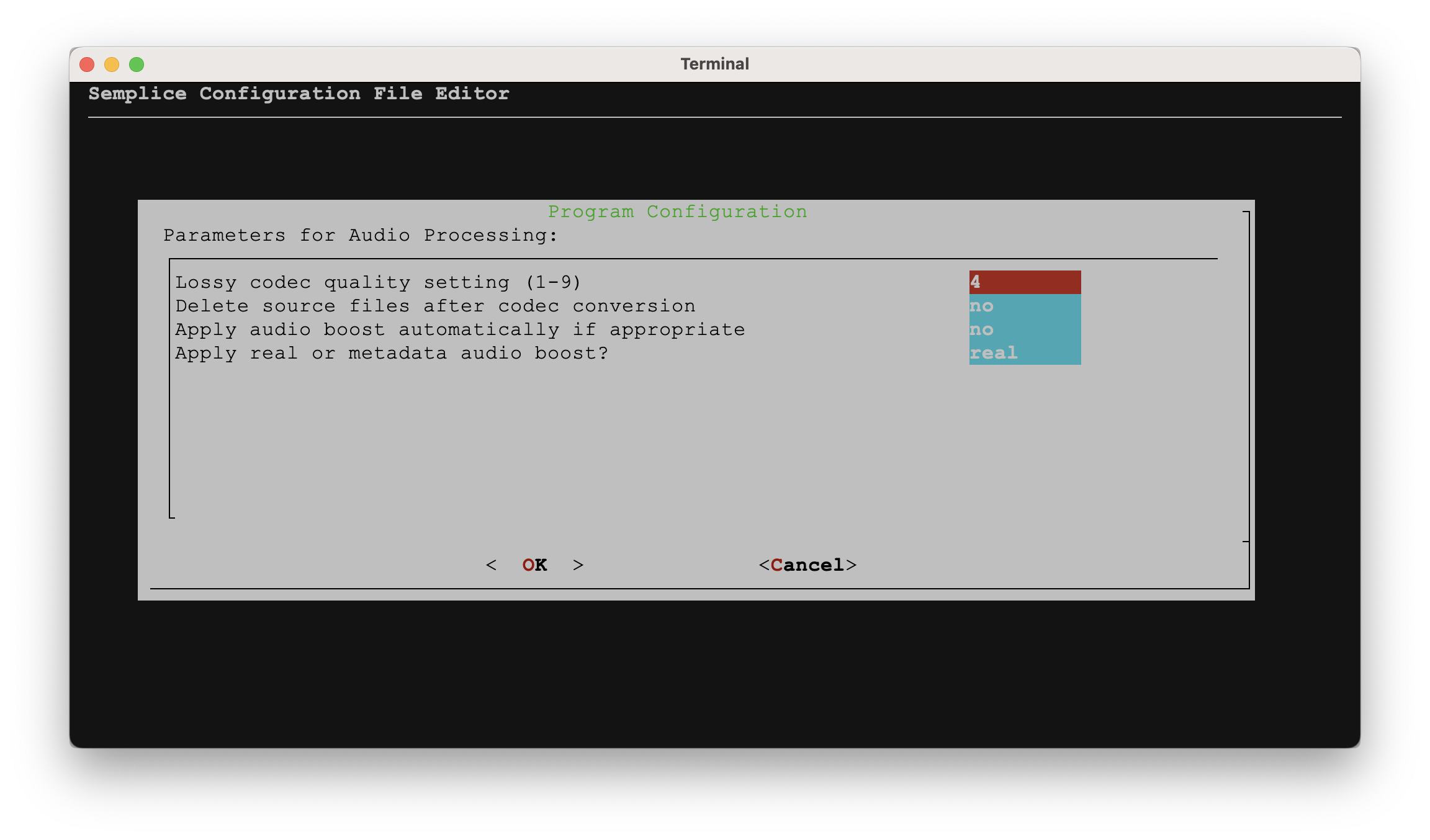
The Apply audio boost automatically if appropriate parameter is set to either yes or no (and it's no by default). The parameter means 'if you take the Volume Boosting menu option and I analyse the various FLACs present in the current working folder, do you want me just to go ahead and apply the computed volume boost or not?'.
A setting of “no” will mean you'll be told what the possible computed volume boost will be but be given the choice of whether to apply it or not.
A setting of “yes” will mean that if it's been determined that a volume boost could be applied, it will be applied without asking you for permission first.
Until you are comfortable with the results of volume boosts, you might well want to keep this set to the “no” default and be in complete control of the process, with plenty of chances to back out and do nothing. Personally, having boosted my volumes routinely for over five years, I now set this to “yes” and let it do its thing without bothering me.
The second parameter to configure is the last one shown on that previous screenshot: Apply real or metadata audio boost. This determines whether Semplice will go through the business of re-encoding your FLACs to produce new ones which physically contain within them the volume-boosted audio signal or, instead, simply compute a ReplayGain for the FLACs and then write them as metadata tags to each FLAC in turn. This parameter therefore defines the type of volume boost you'll get. The default is “real”. If you want ReplayGain tags added to your files instead, you need to type in a value of “metadata” here.
In the documentation that follows, I shall assume you have left the “Apply audio boost automatically” parameter set to “no”: in other words, you wish to be left in manual control of the entire volume boosting process.
4.0 Manual Real Volume Boosting
Before you can volume boost, you need to be working with a folder full of FLACs: that means either launching Semplice from within a folder of FLACs, or pressing 'W' and selecting a 'working folder' full of FLACs from the folder selection dialog that appears. The top of the Semplice main menu tells you when a working folder has been selected correctly:
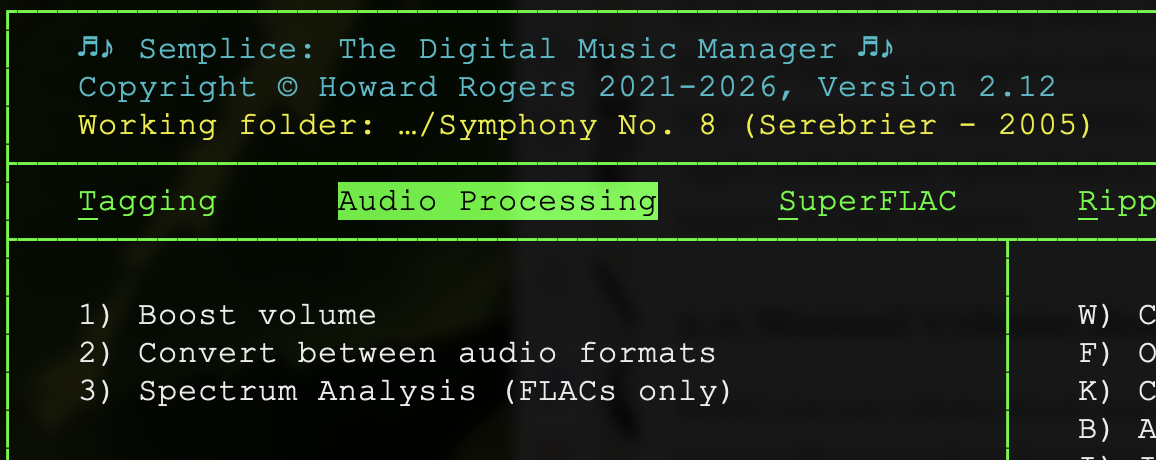
In this case, I'm working in a sub-folder called 'Symphony No. 8 (Serebrier - 2005'. Once a working folder has been selected, press 1 to enter the volume boosting business.
The moment you take this menu option, you might see a message saying 'Analysing each of the FLACs in turn…' on the bottom line of the main program display. I say “might” only because the process is relatively quick, so it might flash by faster than you can catch it. In a folder full of tens of FLACs, however, you probably will glimpse it.
Once volume analysis has completed, you'll receive a message such as this:
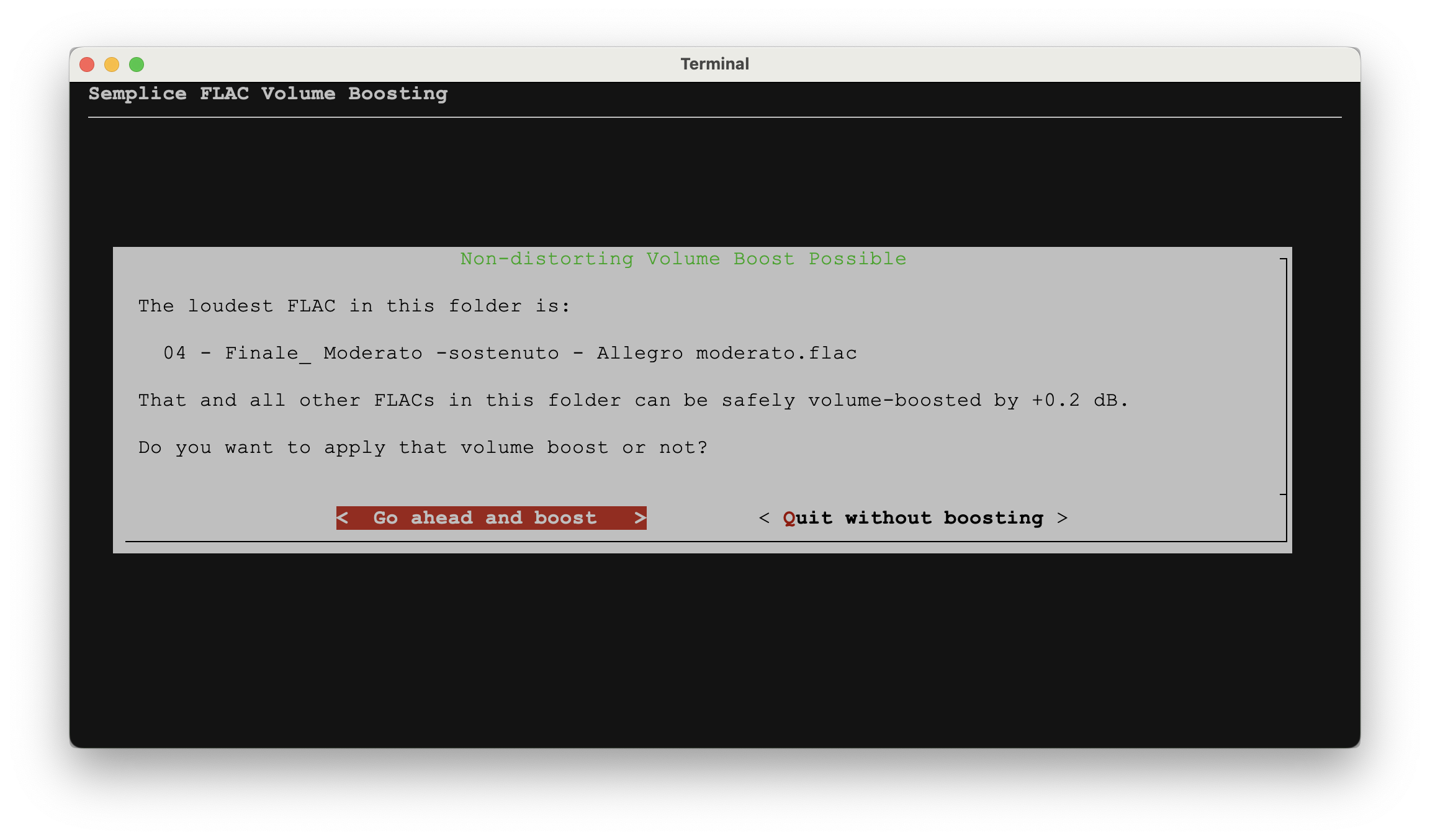
This message indicates a potential volume boost has been identified and shows you the loudest file (because it's the one that can take the least amount of volume boost without distorting) and the maximum non-distorting volume boost that can be applied to it. That will be the file you especially want to listen to after the volume boost has been applied, to make sure nothing awful has been introduced into the audiio signal.
Note that the amount of the available volume boost is shown after an initial 0.5dB “discount” has been applied. In other words, looking at that screenshot, file 04 can actually be boosted by +0.7dB… but Semplice is telling you that it's only going to apply a +0.2 dB boost because, out of an abundance of caution, rather than aim for a 'perfectly loud' 0dB end-result, Semplice only aims for a -0.5dB result: the 'spare' ½ dB is there to make absolutely sure we don't introduce distortion or clipping. The message therefore only displays the amount of boost that will actually be applied, not the amount that technically could be.
Obviously there are two options at this point: go ahead and apply the proposed boost, or quit without doing so. If you select the 'quit' option, you will return to the Audio Processing menu and your FLACs will not have been altered at all or adjusted in any way.
If you select the 'Go ahead' option, this happens:
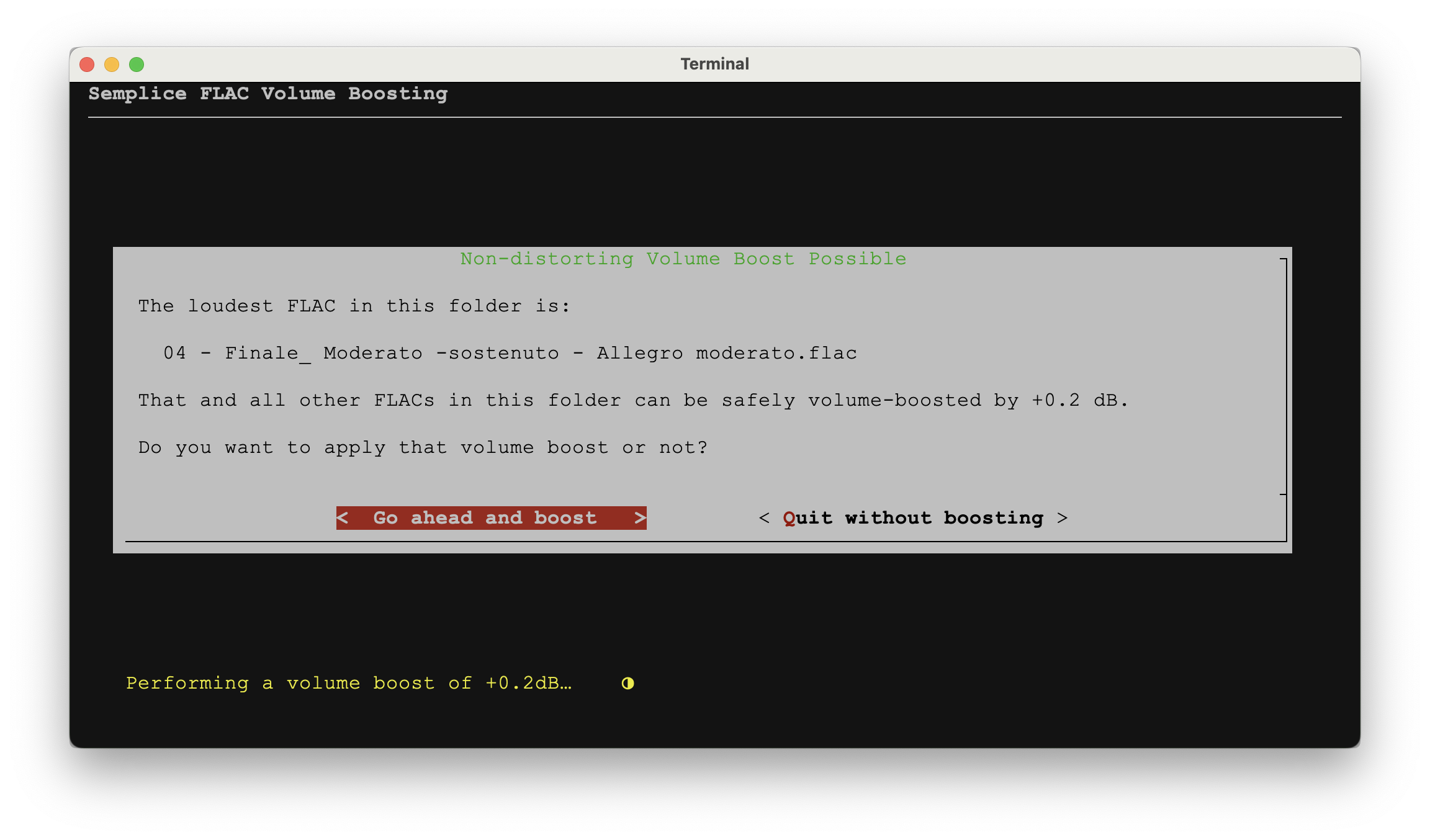
The little message at the bottom of the screen appears, potentially for several minutes if there are a lot of FLACs in the working folder, telling you that a volume boost is being performed. What does that look like? Well, if you had your file manager open at the same time this was taking place, you'd see this:
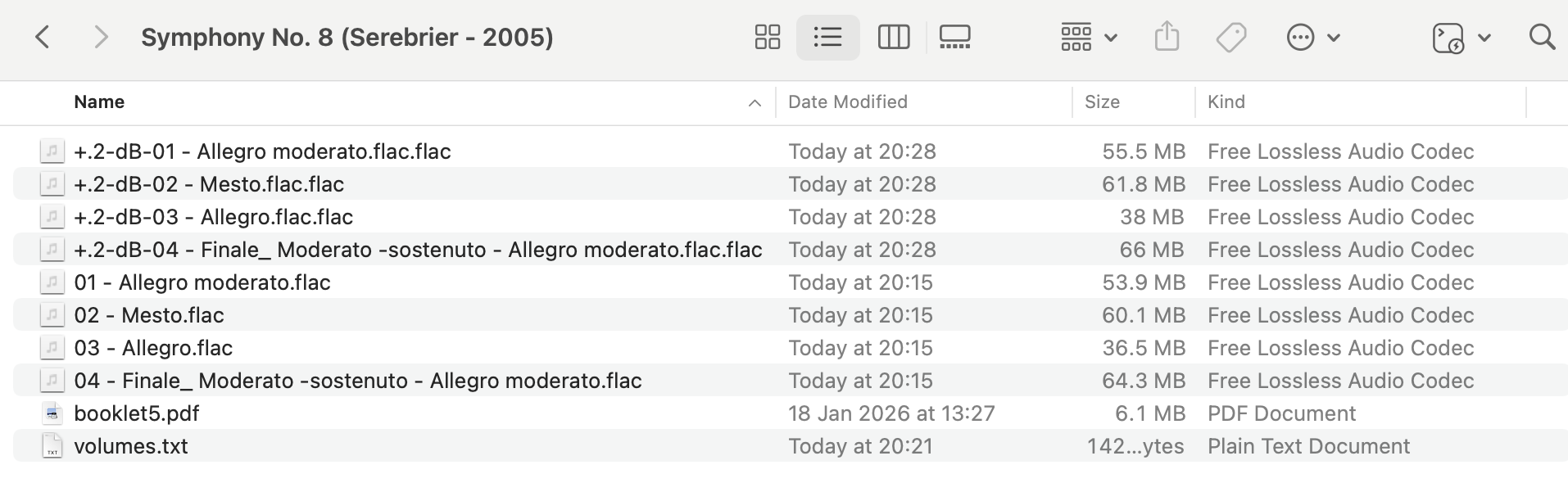
What you see here are the original FLACs named '01 - Allegro moderato', '02 - Mesto' and so on, together with a bunch of files modified more recently (and at the top of my file listing) with names such as '+.2-dB-01 - Allegro moderato' and '+.2-dB-02 - Mesto' and so on. Obviously the volume-boosted files are the ones with the “+.2” in their file names: that's the maximum volume boost that the earlier screen mentioned could be safely applied.
The point here, of course, is that the creation of volume-boosted versions of your FLACs doesn't destroy the originals. The two versions of the music sit together, so that you can easily revert to the non-boosted ones if you don't like the results of volume boosting (because now's your chance to play both before- and after-boosting files to compare them).
Incidentally, too: you'll notice that the original file 01 is 53.9MB in size, whereas the +.2-dB-01 equivalent is 55.5MB: volume boosting by even this modest amount has made the file size increase by 1.6MB (or about 3%). That's one of the 'cons' of doing real volume boosts: file sizes increase. More to the point, there's practically double the amount of data sitting on my hard disk at this moment: the newly-encoded boosted files have to (temporarily) sit alongside their non-boosted originals.
Back in Semplice, once the volume boost concludes, you'll see this:
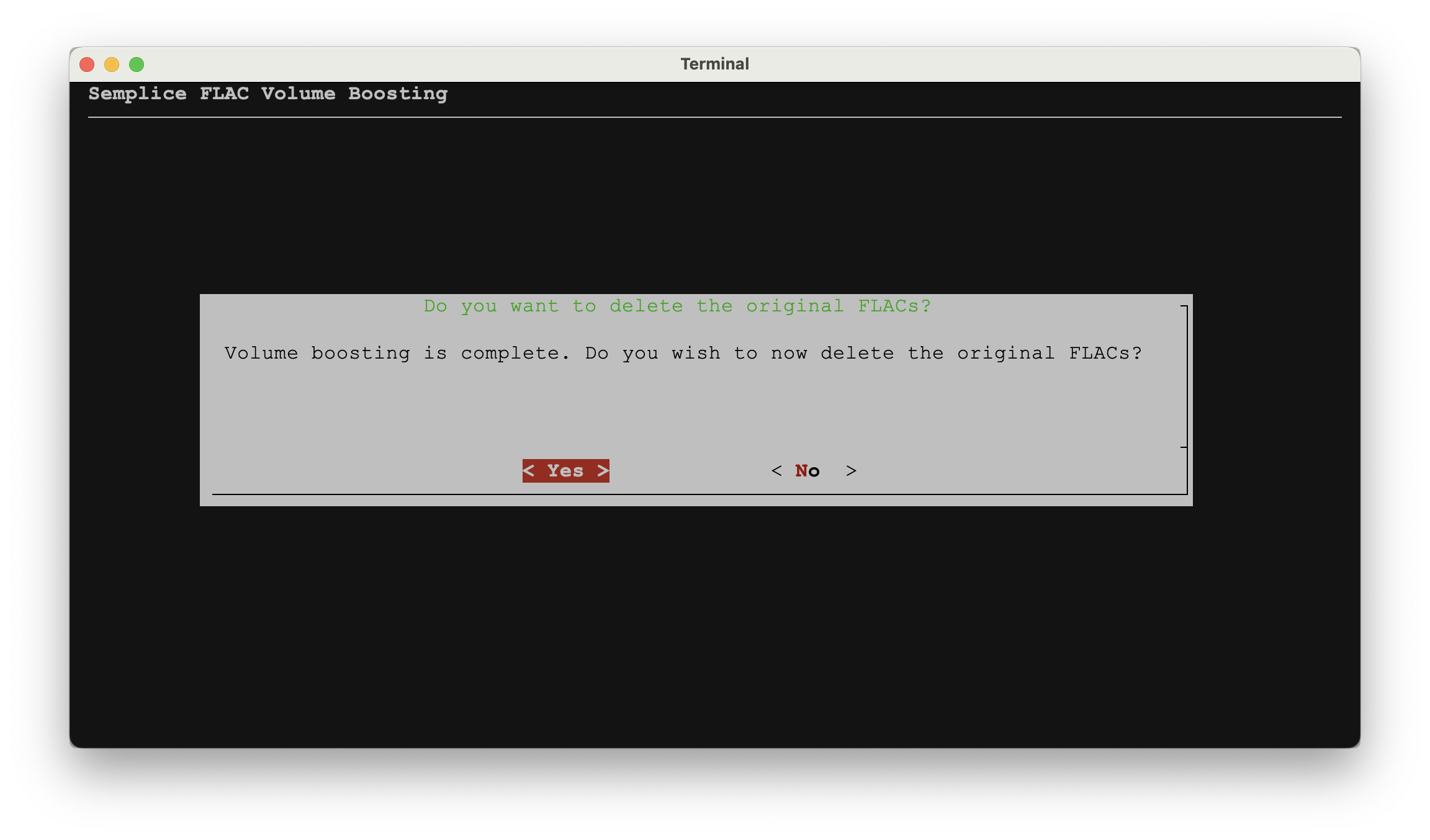
With two sets of FLACs now on disk, one volume-boosted and the other original, the question arises as to whether you want to retain the originals. If you answer [Yes] here, the originals will be deleted for you, leaving only the volume-boosted replacements behind. That's obviously something you might not want to commit to, until you're completely comfortable with the whole business of volume-boosting. You're encouraged to listen to the originals and compare them to their boosted cousins: once you're happy that the volume-boosted ones are literally just a bit louder than the originals, but without any added weirdness, distortion or other acoustic horrors, you can feel happy in deleting the originals. If you answer [No] here, you're simply returned to Semplice's Audio Processing menu and both sets of FLACs are left intact on your hard disk, for you to sort out at your leisure.
For now, let me answer [Yes] and take note of what happens. First, in Semplice itself you'll see this message:
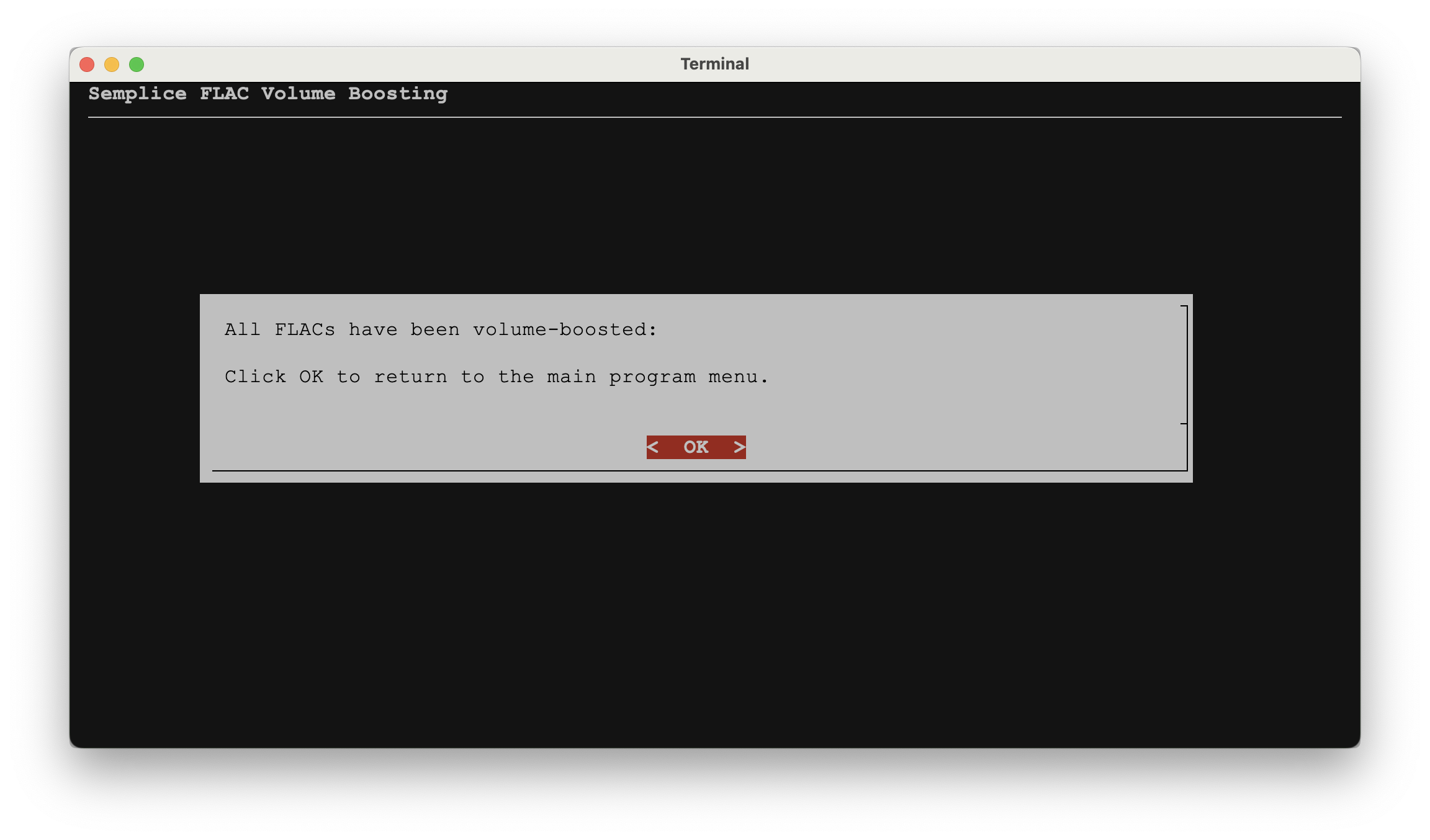
That's just explicit confirmation that “something has happened” and you can press [Enter] or click [OK] to return to the Semplice Audio Processing menu. Secondly, we can return to our file manager and see what has happened to the FLACs on disk:
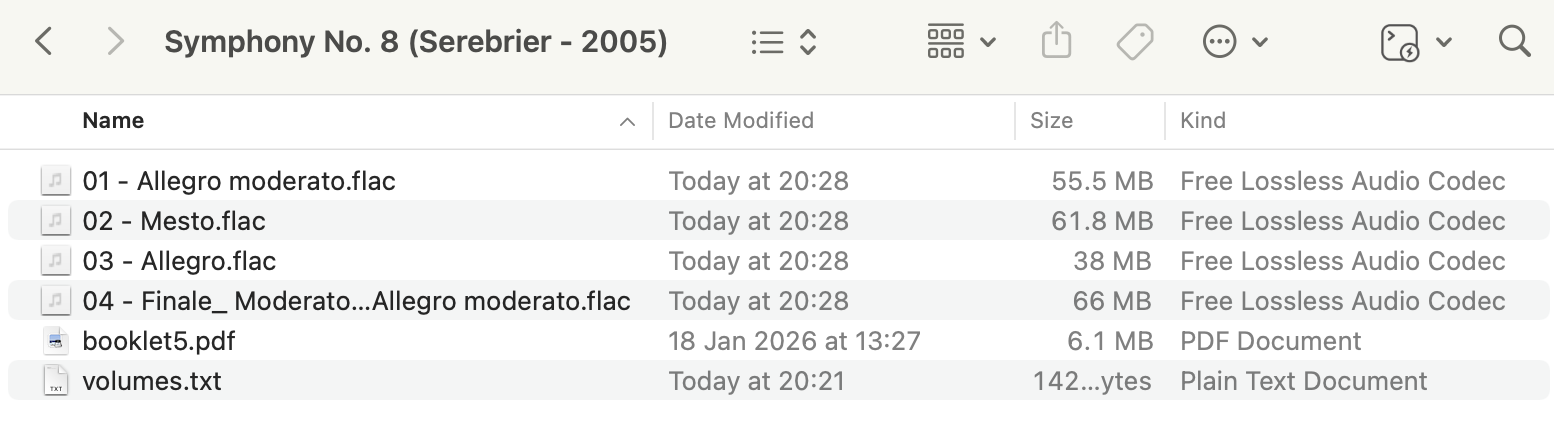
The first thing you'll notice is that only one set of FLACs remain: we had eight of them before but now only four remain. So, something's been deleted. A quick glance at the file names might lead you to think that it's the volume-boosted FLACs that have been deleted, because nothing now remaining is called '+.2-dB…'. Pay closer attention to the file sizes however: File 01 is 55.5MB, file 02 is 61.8MB, and so on. Go back a couple of screenshots and you'll see that those were the sizes of the volume-boosted FLACs, not the originals.
We can therefore conclude that saying 'yes' to the question about deleting the originals not only triggers the deletion of the original FLACs but also causes file names to be adjusted so that the surviving files acquire the names originally owned by the non-volume-boosted originals.
And that's really all there is to say about volume boosting! Point Semplice at a folder full of FLACs, ask it to analyse them, agree to any proposed boost, delete the originals when it's all over: job done!
5.0 Automatic Real Volume Boosting
What if the configuration file's Apply audio boost automatically if appropriate parameter is set to yes, though? Does that materially change the way volume boosting works? Somewhat: with auto-boosting on, you don't get asked if you'd like to apply a volume boost. The second you take Option 1 from the Audio Processing menu, this happens:
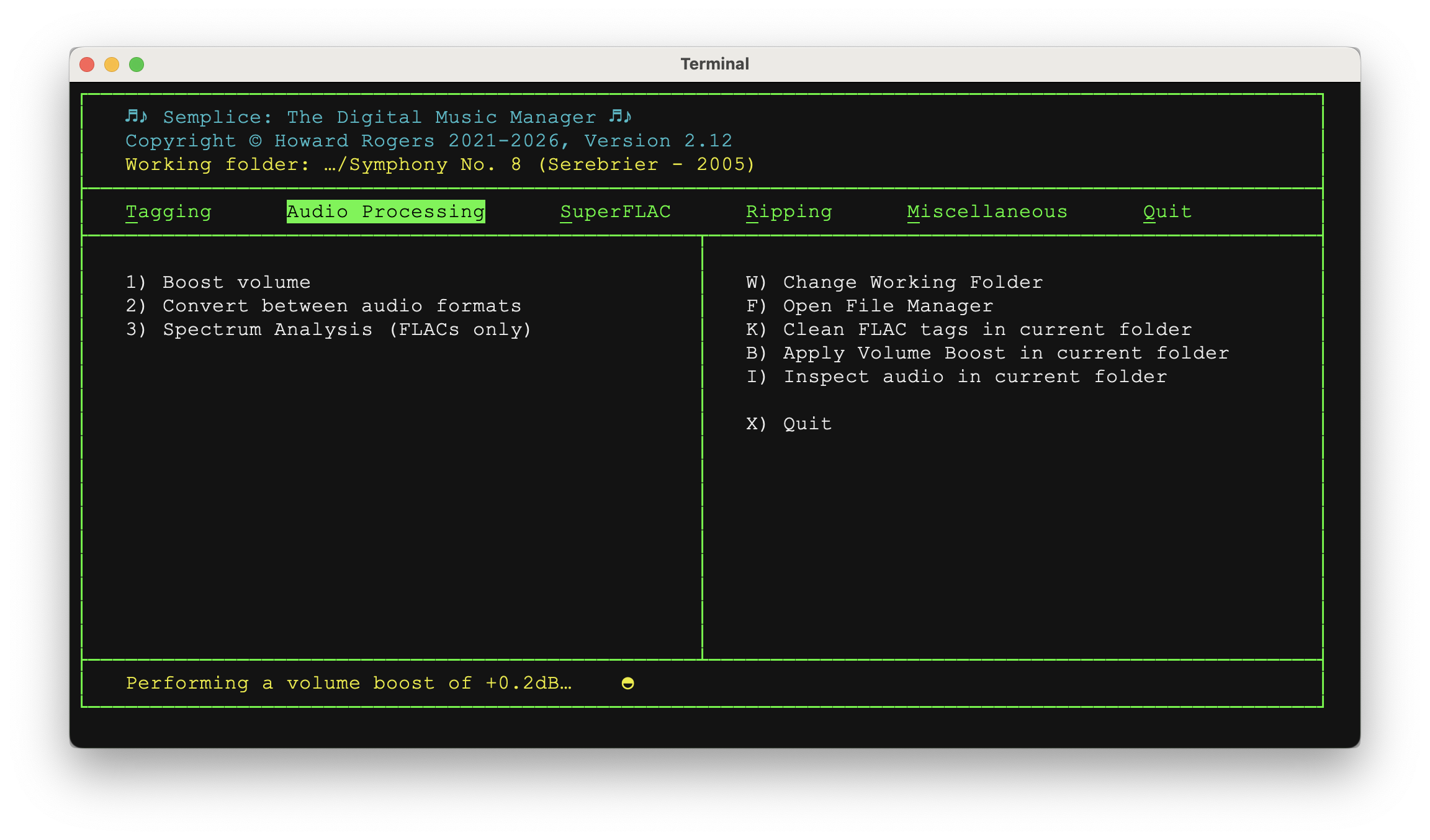
That is, the 'Performing a volume boost' message appears at the bottom of the screen automatically. You aren't told what amount of volume boost has been analysed to be possible, nor the name of the loudest file to which the boost will be applied. You aren't even asked whether you want to apply the computed volume boost or not: it just starts happening, entirely without prompting. Once the volume boost has been applied, however, you'll see this:
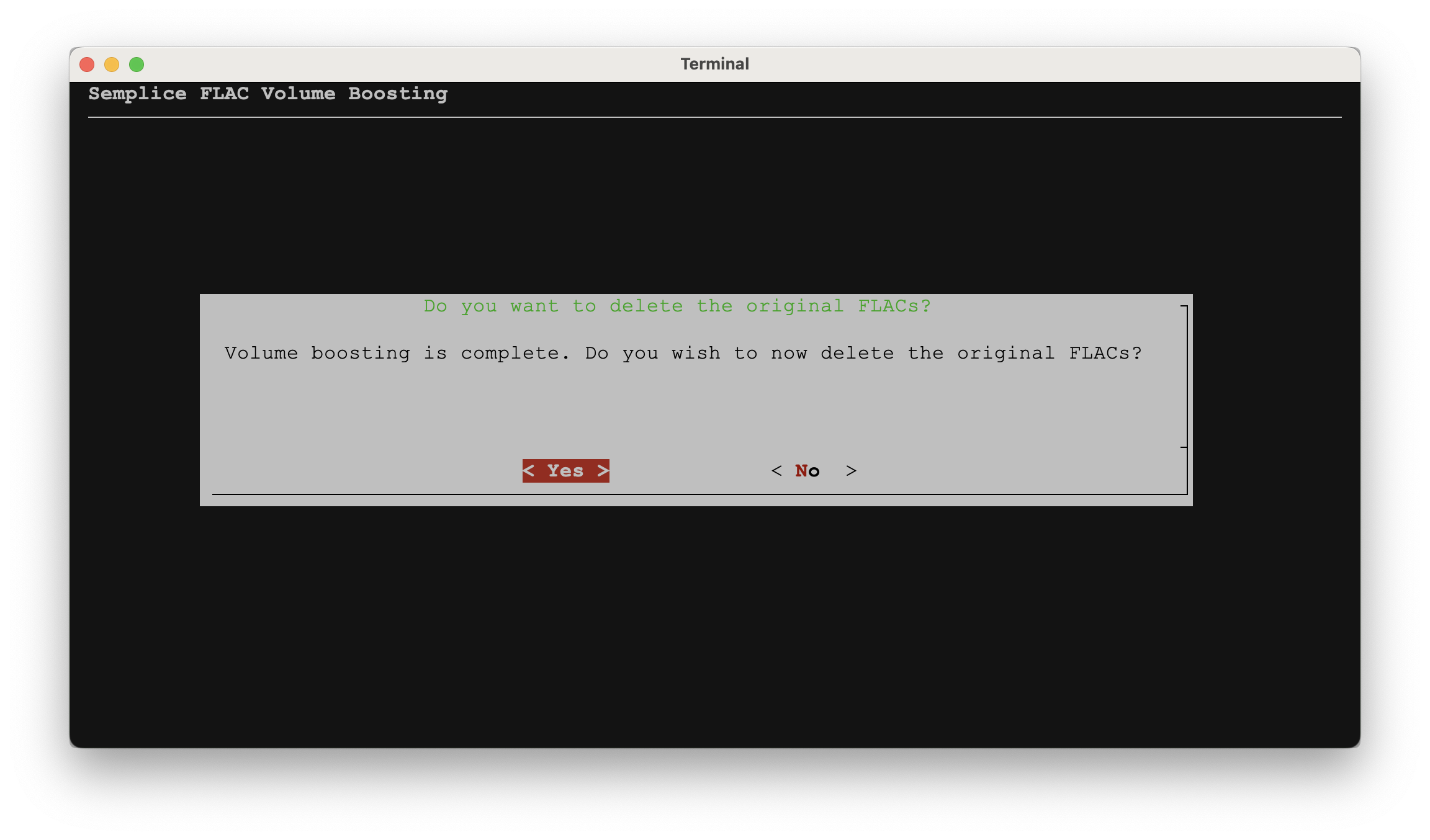
So you still get to control whether to retain the original FLACs alongside the volume boosted equivalents. If you checked in your file manager, you'd see the mix of files we saw before: files with ordinary names would sit side-by-side with files with '+.<em>x</em>dB' prefixes to their equivalent file names. If you answer [Yes] to the prompt to delete the original FLACs, then the usual sort of filename renaming takes place, so that you are left with 'properly' named files which are, in fact, the volume-boosted versions.
In summary, setting the configuration parameter to 'auto-boost' simply removes a prompt message or two: it doesn't fundamentally alter the way volume boosting works and the process remains non-destructive (in that the originals are preserved) right up until the moment when you are explicitly asked to delete the originals.
6.0 Metadata Volume Boosting
So now we'll switch gear, visit the Miscellaneous menu, Option 1 and set the 'Apply real or metadata audio boost' parameter to have a value of metadata, so that we're about to calculate a ReplayGain value and apply it to our FLACs as new metadata tags only. Remember this is not the default volume boosting option. I've also restored a set of un-boosted FLACs to work with: you do not want to try applying ReplayGain metadata boosting to files which have already been physically volume-boosted: it makes literally no sense to do so. I've also set the 'Apply audio boost automatically' parameter back to its default setting of 'no'.
Starting with that parameter set and a clean set of FLACs, therefore, I take the Audio Processing menu, Option 1 once more and immediately see this:
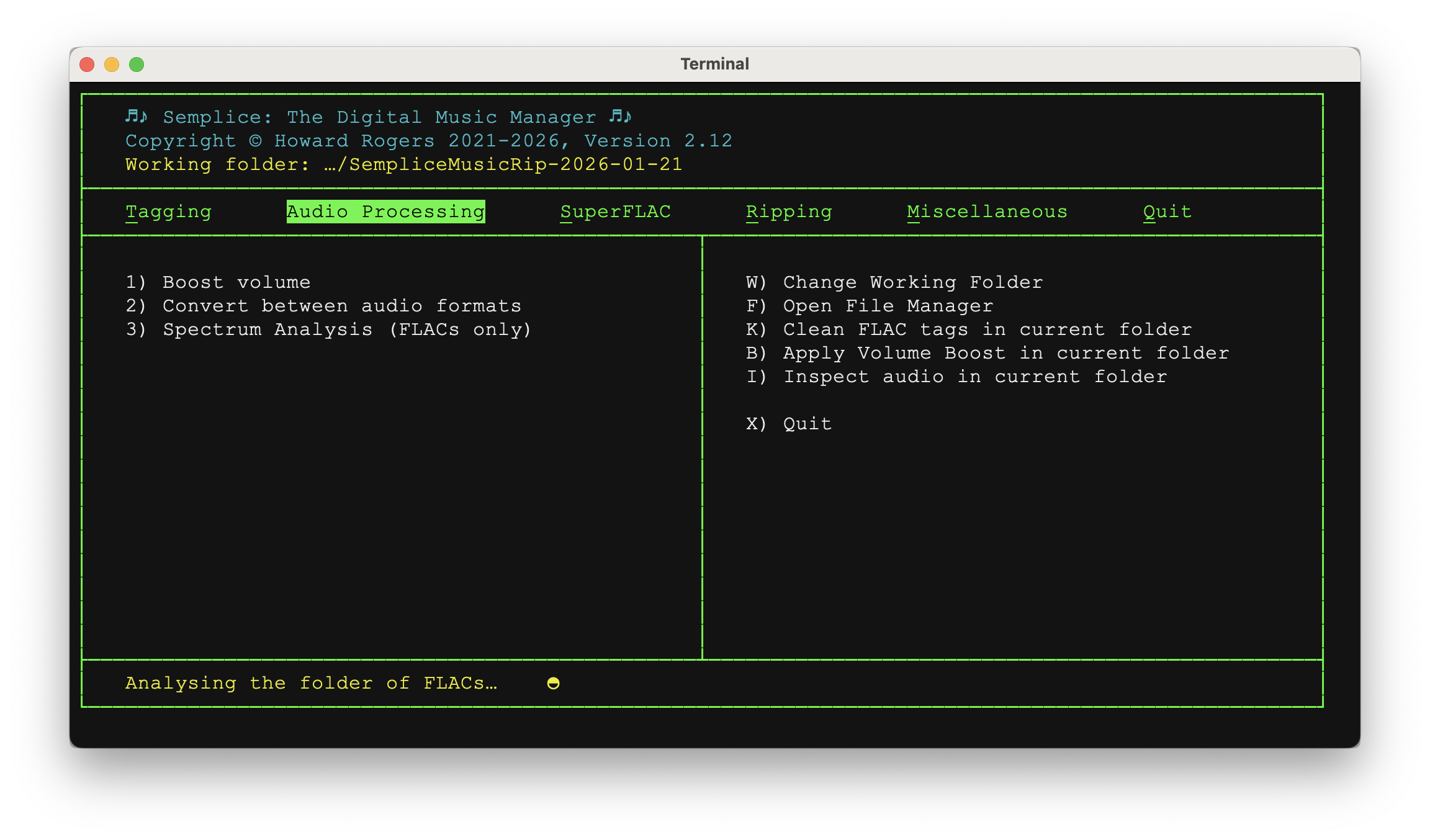
That message you see in the yellow at the bottom of the previous screenshot is the volume boost being calculated and applied, so it might be displayed for quite a few seconds, depending on the size and number of FLACs in the working folder.
The key point to note, however, is that there were no prompts about 'this file is the loudest' or 'are you sure you want to apply this': the volume boost just immediately happens, no prompts. In other words, the parameter “Apply audio boost automatically=NO” is totally ignored when doing metadata volume boosts. Why? Well, one of the big pros for metadata boosts was, if you remember, that they are completely reversible: something that is totally reversible doesn't, therefore, require multiple disclosures and confirmations before being applied!
What, though, has precisely been achieved by this volume boost? Well, not much on the file system side of things has changed:
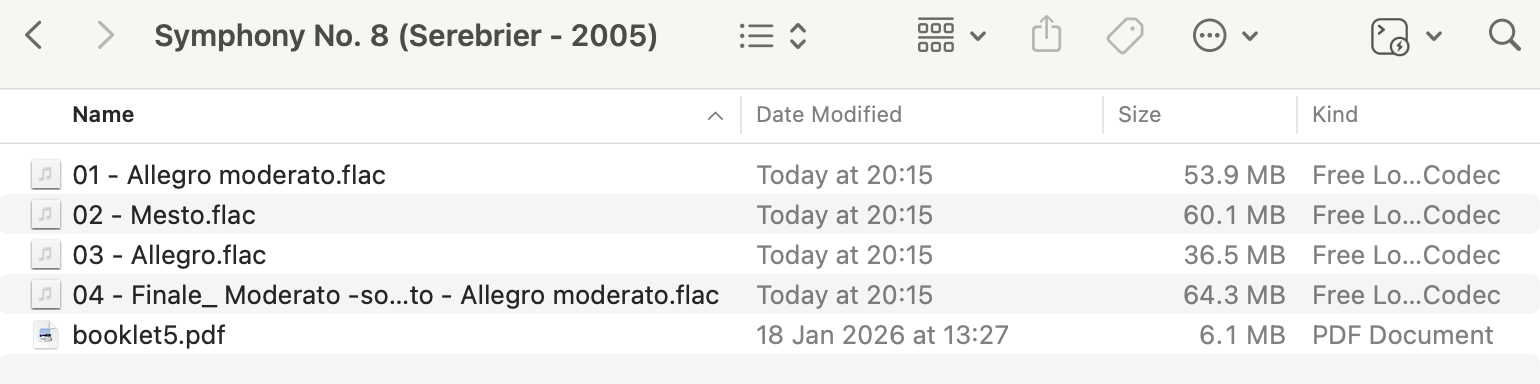
If you compare the file sizes in this screenshot with the ones in the screenshot seven above it, you'll see they are identical. Nothing has made the physical file sizes increase, therefore.
But let's now take the Tagging menu, Option 7 to look at the metadata associated with these files:
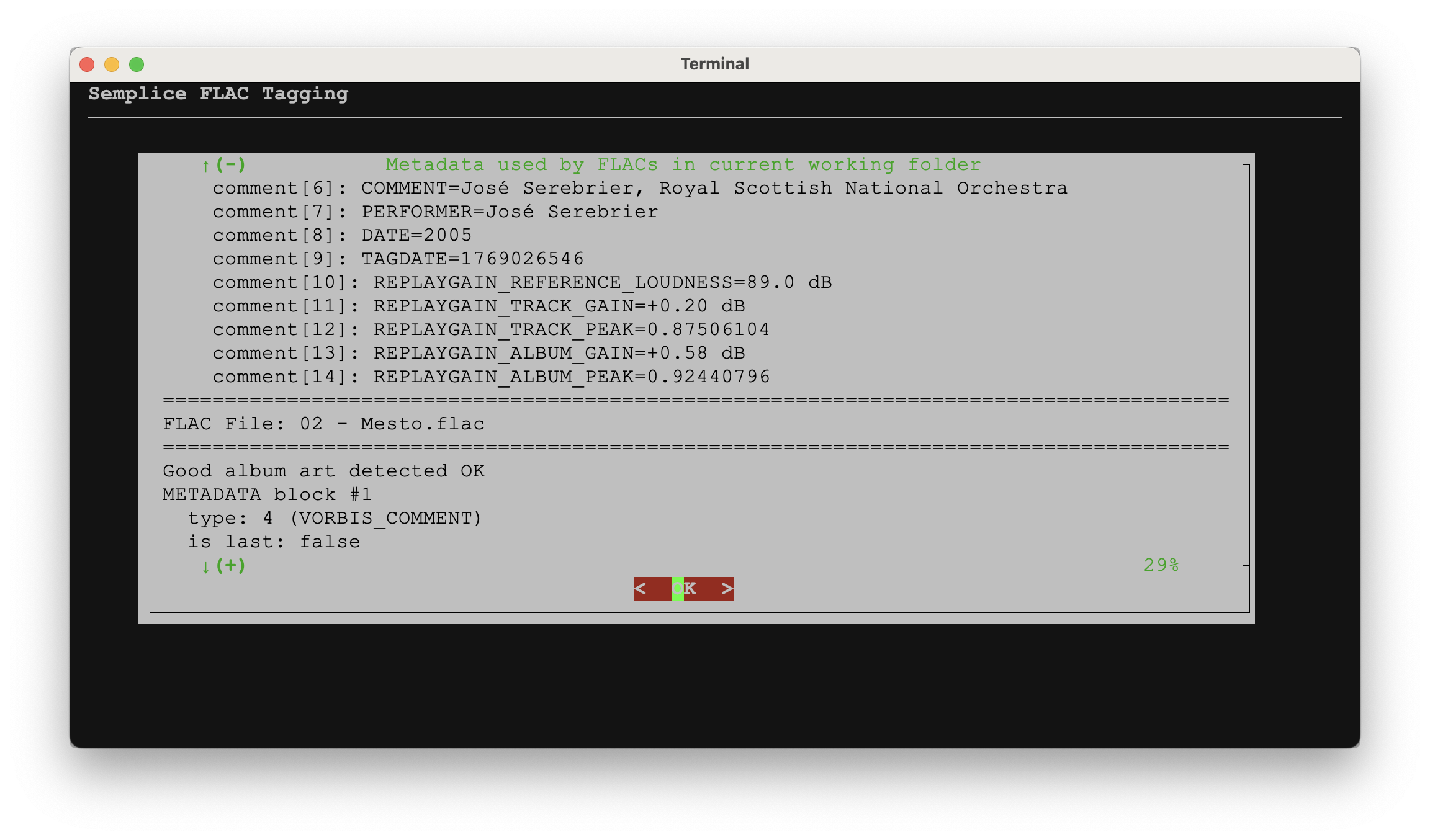
That's the metadata belonging to the 01 - Allegro moderato file disappearing off the top of the screen as that for file 02 - Mesto is appearing beneath it. You will note that appearance of five “REPLAYGAIN…” metadata tags, each containing some data. The set of five tags is mandated by the ReplayGain technical standard …but the only one that counts is the REPLAYGAIN_ALBUM_GAIN one, which you can see has been set for the 01 - Allegro moderato file to be “+0.58 dB”. Note in passing that track 1's track gain tag is set to +0.2 dB.
Now let me continue scrolling down to expose more metadata for track 2:
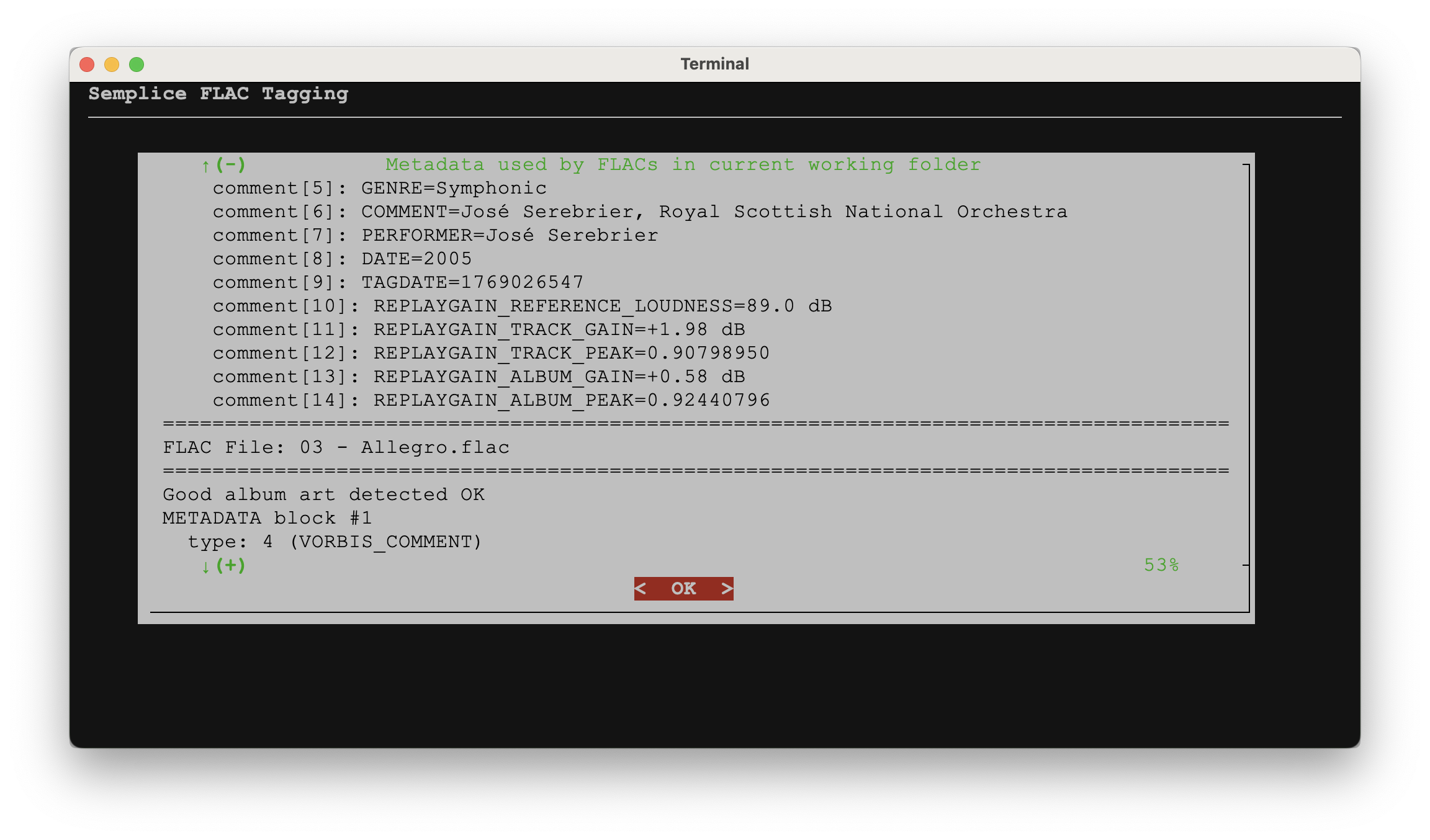
So now it's file 2's ReplayGain tags in the middle of the screen, with file 3's scrolling up behind it. What do we notice: (a) that the ALBUM_GAIN tag is still set to +0.58 dB, as it was for track 1; but (b) the TRACK_GAIN tag is now +1.98dB, not track 1's +0.2dB.
For any set of FLACs presented to the metadata boosting mechanism, each separate FLAC will get a unique TRACK_GAIN value, because each track has its own unique loudness. But all tracks, without exception, will be given a single ALBUM_GAIN tag value, because that represents the volume boost that needs to be applied to bring the whole set of FLACs, in the aggregate, up to the 89dB perceived loudness standard.
I will mention in wrapping up, too, that you might have noticed that the metadata volume boost proposes a +0.58dB album-wide boost. The real, physical volume boost on exactly the same set of FLACs proposed a +0.2dB boost. This shows you that the two boost mechanisms really do work on completely different models and goals! In this case, the metadata boost would result in a louder playback than the physical boost would have done… but it won't always work out that way. Don't, in other words, compare the two mechanisms and try to work out which one is “right”. They're aiming for different things and both are right! Pick one and stick with it, basically. Don't flip and flop between the two mechanisms.
So that's really all there is to say about metadata volume boosting: it happens automatically, the moment you take Option 1, regardless of whether you've said yes or no to the 'automatic boost' configuration parameter. It happens quickly. It makes no alteration to the physical music signal in a FLAC, so file sizes won't change. It does add five new metadata tags to every FLAC in a folder, though the only significant one for classical music listeners is the ALBUM_GAIN one.
7.0 Reversing Metadata Boosts
I've mentioned several times that metadata volume boosts are reversible: the question then arises how you reverse one, after it's been applied? The simplest approach is to take Semplice's Audio Processing menu, Option 4: Remove ReplayGain tags from FLACs. The option works immediately, without prompts, to remove all REPLAYGAIN_* tags that might be present in a FLAC or set of FLACs. There are no prompts, of course, because the operation is trivially reversible: just perform a fresh metadata volume boost and fresh tags will be written back to the FLACs once more. Removing the tags takes practically no time, so Semplice puts up a dialog to tell you the operation has actually worked:
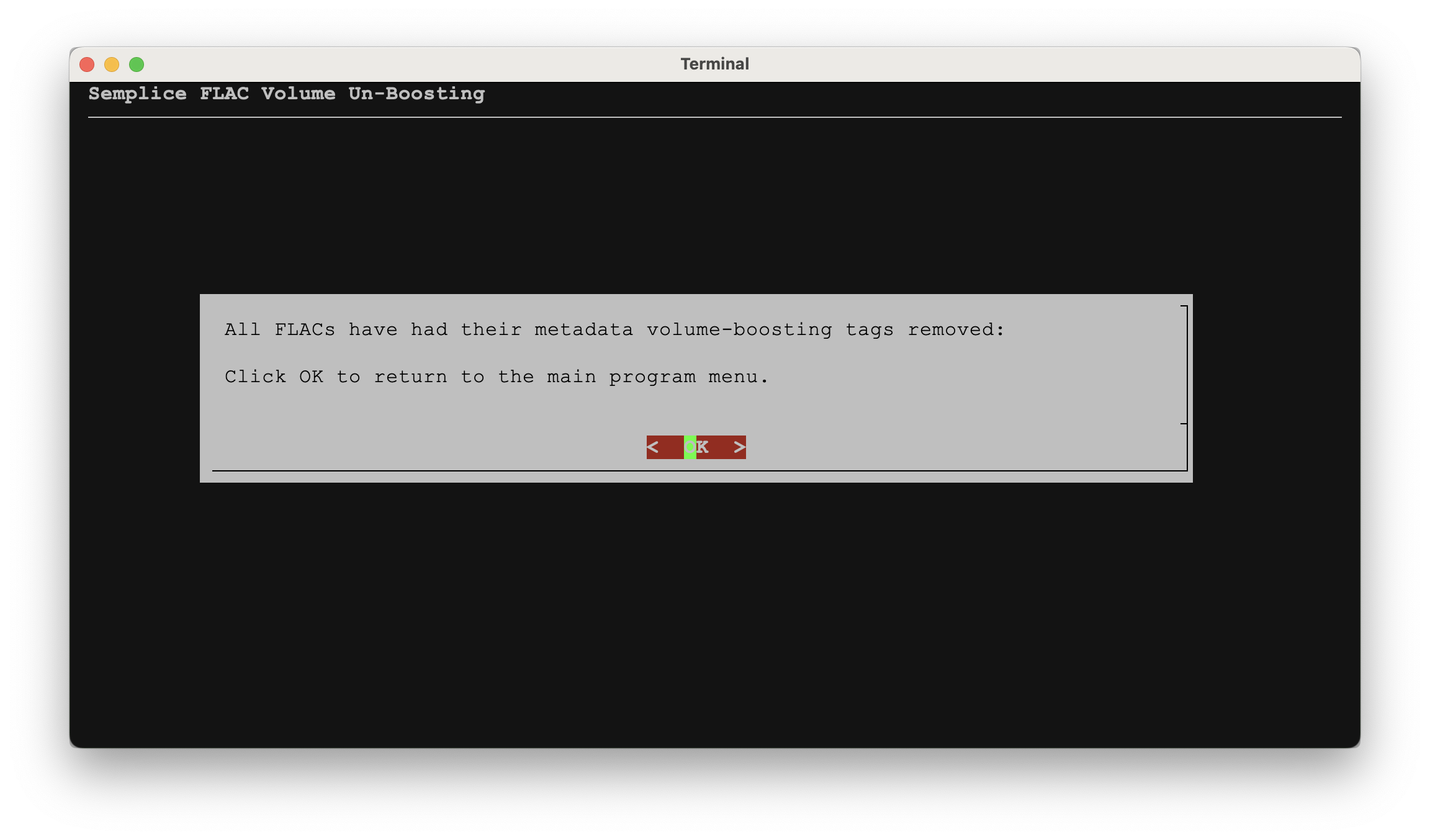
Click [OK] there and you'll be returned to the main program menu: switch over to the Tagging menu, Option 7 to read all the metadata that's still stored inside your FLACs and you should be able to confirm that no REPLAYGAIN_* tags of any kind persist.
8.0 Conclusion
Physical volume boosts and metadata ones are both entirely safe and will result in louder music playback than would otherwise occur (unless it happens that the recording engineers have already maximised playback volume on the original physical media). It's especially useful in boosting the volume of SACD rips, which generally are supplied with an artificially low volume threshold, but breaking a single CD up into multiple individual works can also expose the 'levelling down' that sometimes occurs when manufacturers produce a composite CD to play back at an 'average', acceptable level throughout.
If you care about preserving pristine audio data without tinkering with it, use metadata volume boosting. If you care more about making sure your FLACs are volume boosted regardless of the device or software playing them, then physical (or 'real') volume boosting is available to you instead.
Real volume boosting remains the default Semplice setting (at least for now) for historical reasons.
| Back to Semplice Home Page | Audio Processing Home |